Blogs
Practical Insights & Latest Happenings
Don’t miss out on the latest trends and info on SEO, search engines, social media, and more.

Powerful in-content links that…

White-Hat, Niche Relevant, Editor..

White-Hat, Niche Relevant, Editor..

White-Hat, Niche Relevant, Editor..

White-Hat, Niche Relevant, Editor..

White-Hat, Niche Relevant, Editor..

White-Hat, Niche Relevant, Editor..

White-Hat, Niche Relevant, Editor..

White-Hat, Niche Relevant, Editor..
September 5, 2023
mothasim
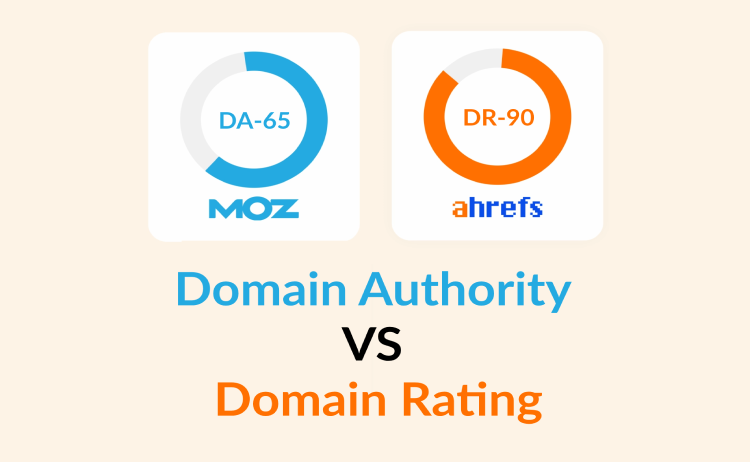
Both Domain Authority (DA) and Domain Raing (DR) are used to estimate a domain or website’s credibility, reputation, and influence within search engine rankings. They have more similarities than differences but since you want to know more about domain authority vs domain rating, we will take a deeper look into their differences.
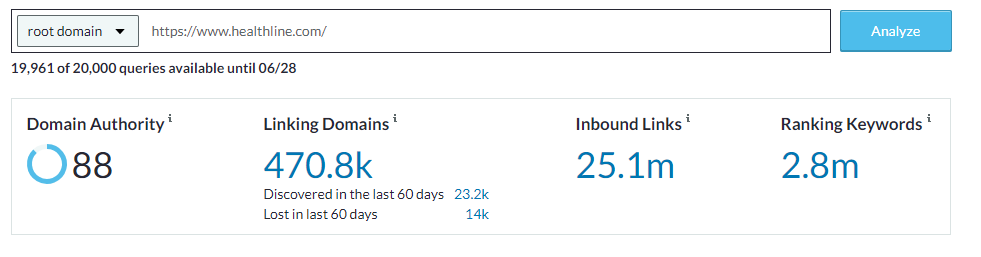
This is a metric developed by Moz – a prominent SEO software provider – that measures the overall authority and credibility of a website domain on a scale from 1 to 100. The higher the DA score, the more likely the website will rank well in search engine result pages (SERPs).
DA is calculated by Moz based on different factors, such as the quality and number of backlinks pointing to the domain, the overall link profile, social signals, and other SEO-related factors. Remember that DA is a relative metric and should be compared to other websites within the same niche or industry.
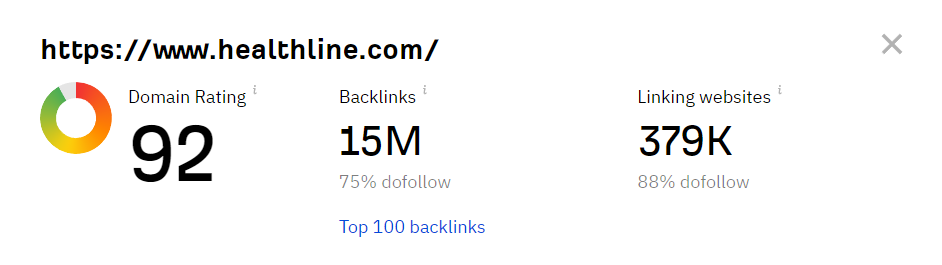
Domain Rating is a metric offered by Ahrefs, another popular SEO toolset. Similar to Domain Authority, it measures the credibility and strength of a website’s backlink profile on a scale from 1 to 100. A higher DR score indicates a stronger backlink profile, which can positively impact your ability to rank well in SERPs. The DR metric is also calculated depending on the quality of backlinks, the number of referring domains, the diversity of the backlink profile, and other relevant factors.
There are actually more similarities between Domain Authority and Domain Rating than their differences. They are often used in SEO to evaluate the credibility and ranking potential of a website in search engine result pages (SERPs).
Think of a website as a house, and Domain Authority (DA) as a way to determine how well-established and trustworthy that house is in the neighborhood. It’s like a popularity score for the entire website domain.
On the other hand, Domain Rating (DR) is similar to Domain Authority but is specific to a particular website’s backlink profile. Backlinks are links from other websites that point to a specific website. DR measures the quality and quantity of these backlinks, which gives an idea of how influential or authoritative a website is in terms of its link profile.
To simplify, Domain Authority is a broader metric that looks at the overall authority and reputation of a website domain, while Domain Rating focuses more on the specific website’s backlink profile.
Both DA and DR use numerical scales to represent their scores. These scores range from 1 to 100, with higher scores indicating stronger authority. But remember that these metrics are not absolute measures of a website’s quality, but rather relative indicators used for comparisons between websites.
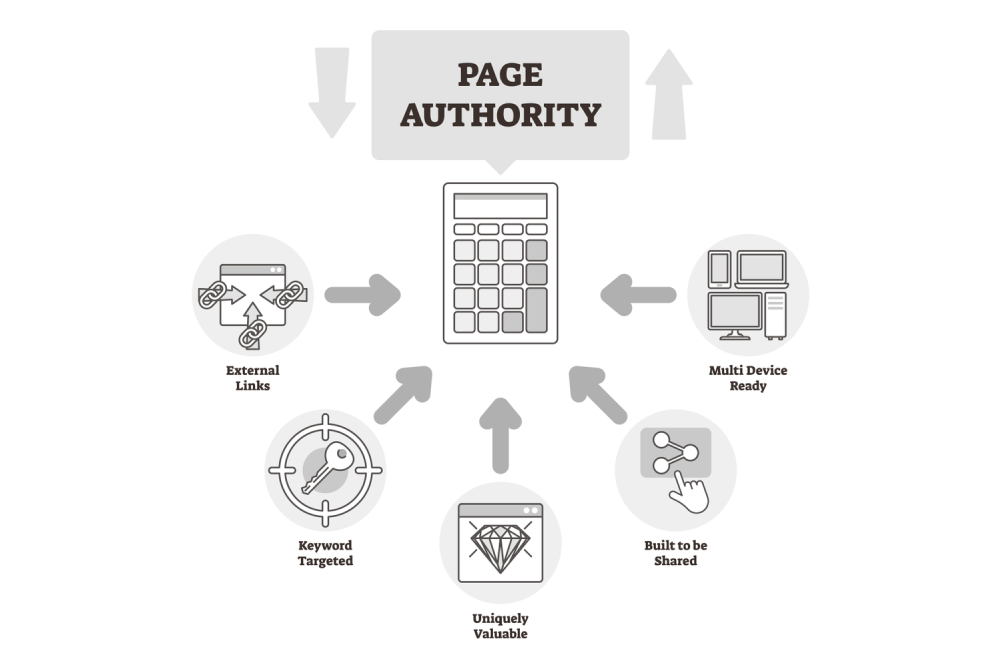
The number of websites linking to your domain is important, but the quality of those links matters as well. If reputable and trustworthy websites link to your site, it positively affects your DA and DR.
Try to have a diverse set of domains linking to your website. It’s better to have links from many different websites rather than multiple links from a single site.
The relevance of linking websites to your domain’s topic or industry is crucial. If you run a sports blog and receive links from other sports-related websites, it can boost your DA and DR.
The authority of the linking websites also plays a role. If authoritative and well-established sites link to your domain, it can positively impact your DA and DR.
The freshness of the backlinks matters. Recent links have more impact on your DA and DR compared to older ones.
Social media shares, likes, and comments on your content also matter here. Engaging content that receives attention on social platforms like Facebook, Twitter, Instagram, YouTube, and LinkedIn often attracts more backlinks.
The amount of organic traffic your website receives is another contributing factor. Popular and frequently visited sites tend to have higher authority.
Publishing high-quality, informative, and engaging content attracts more organic links from other websites.
A well-designed and user-friendly website that offers a positive browsing experience can encourage visitors to spend more time on your site and explore further, which indirectly impacts your site authority.
Now that you have some idea about Moz domain authority vs Ahrefs domain rating, here is a quick guide on how to check your DA and DR.
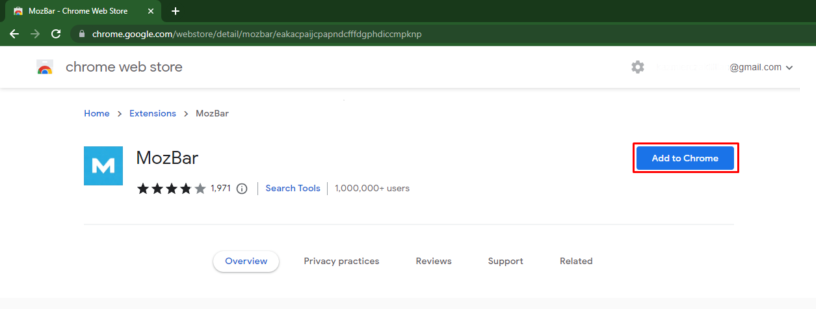
Step 1: Google “Mozbar extension for Chrome” (if you are using Google Chrome) and visit this page. On the top right corner you will see the button “Add to Chrome”
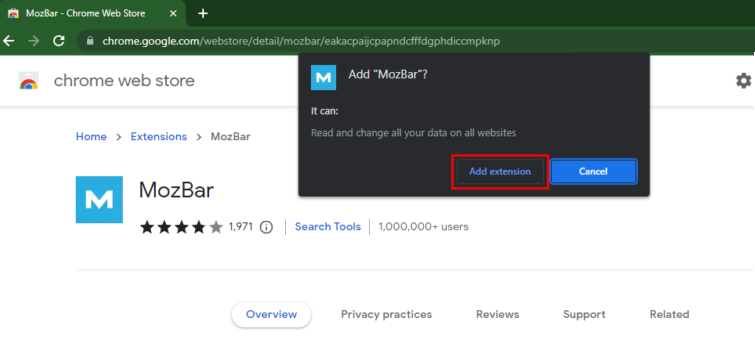
Step 2: A confirmation dialog box will appear. Click on the “Add extension” button to proceed with the installation.
Step 3: Chrome will then download and install the MozBar extension. Once the installation is complete, a notification will appear.
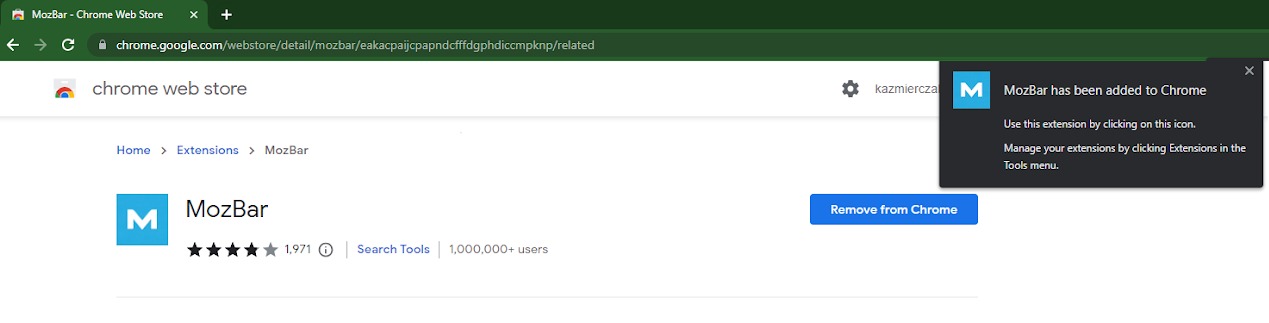
Step 4: The MozBar icon should now appear in the top right corner of your Chrome browser, next to the address bar.
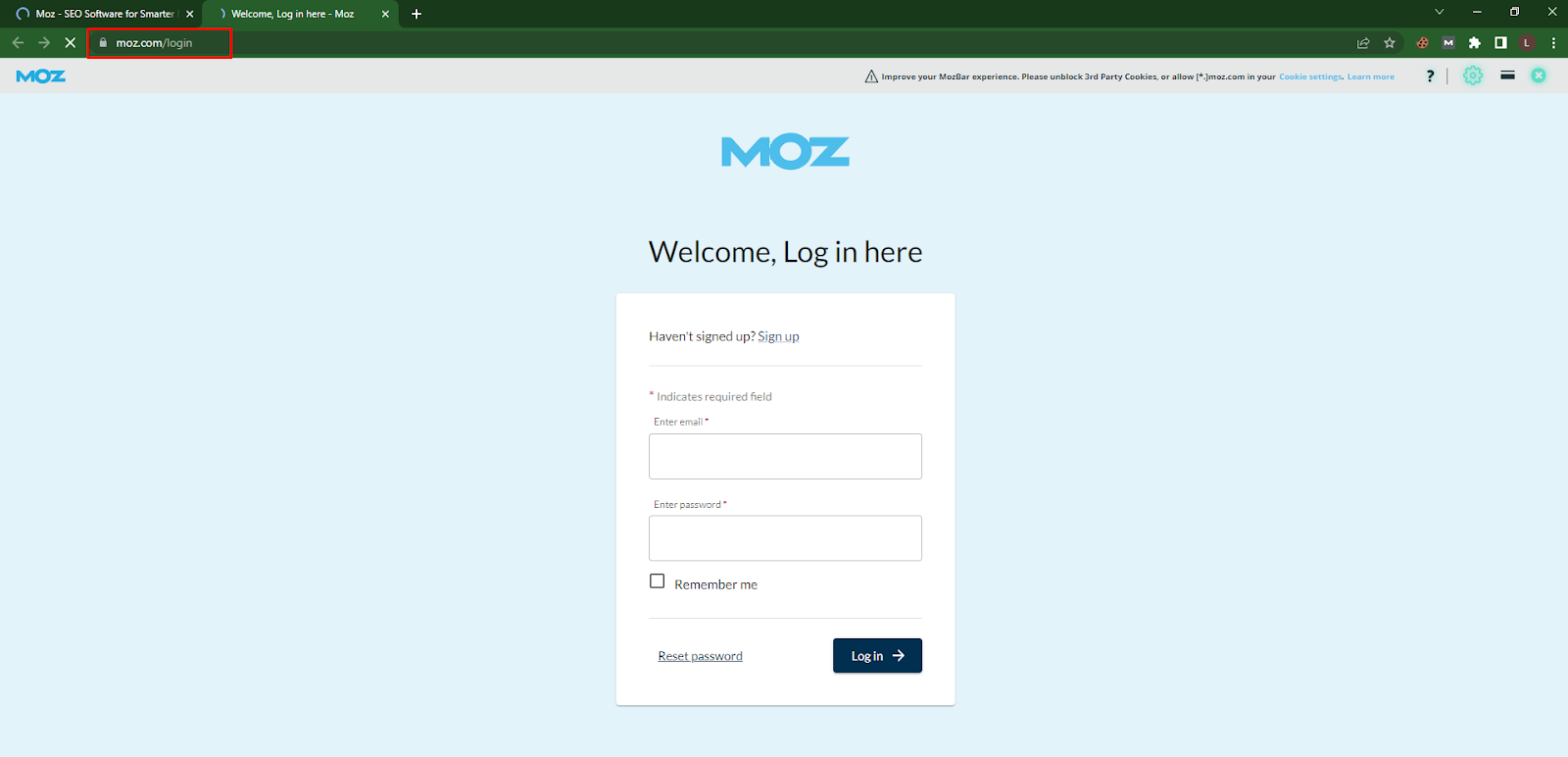
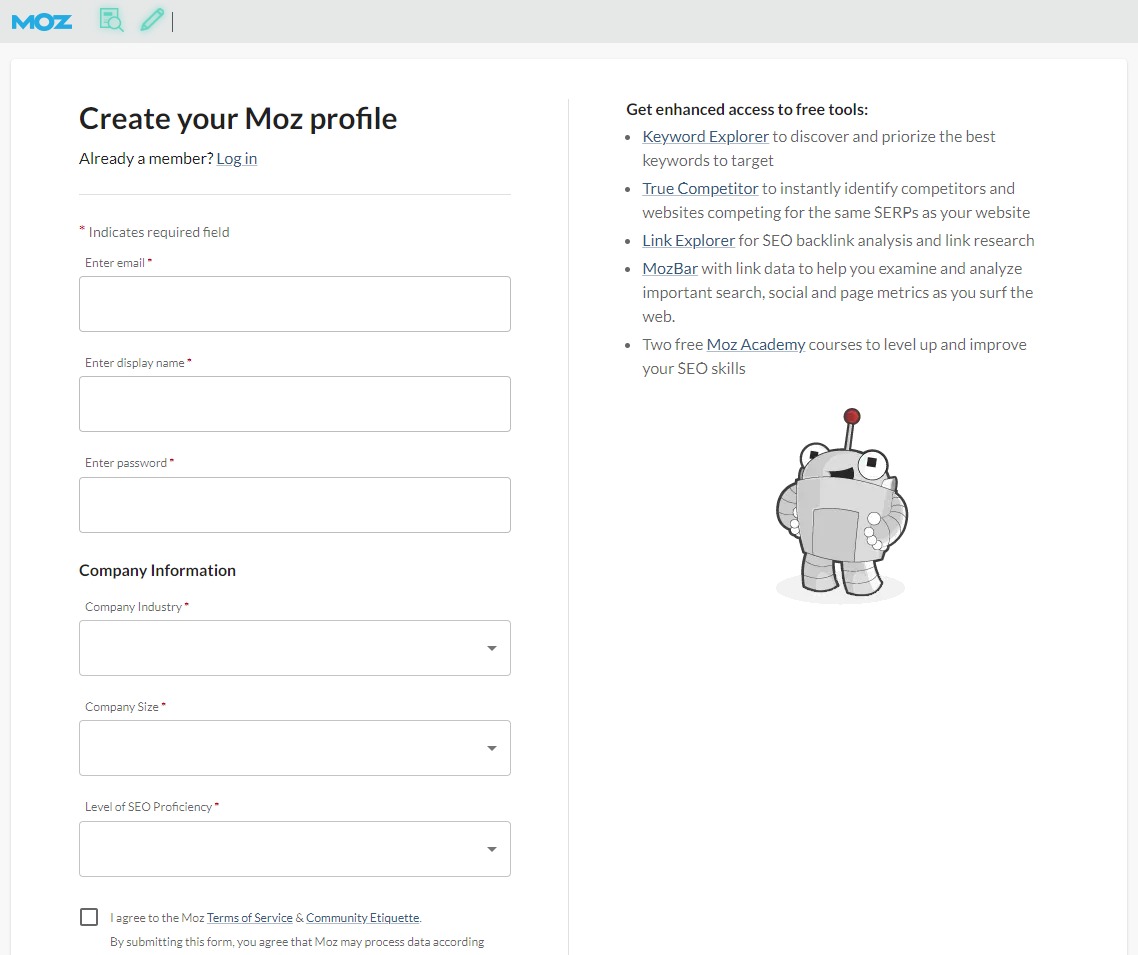
Step 5: Now Sign Up filling in the details
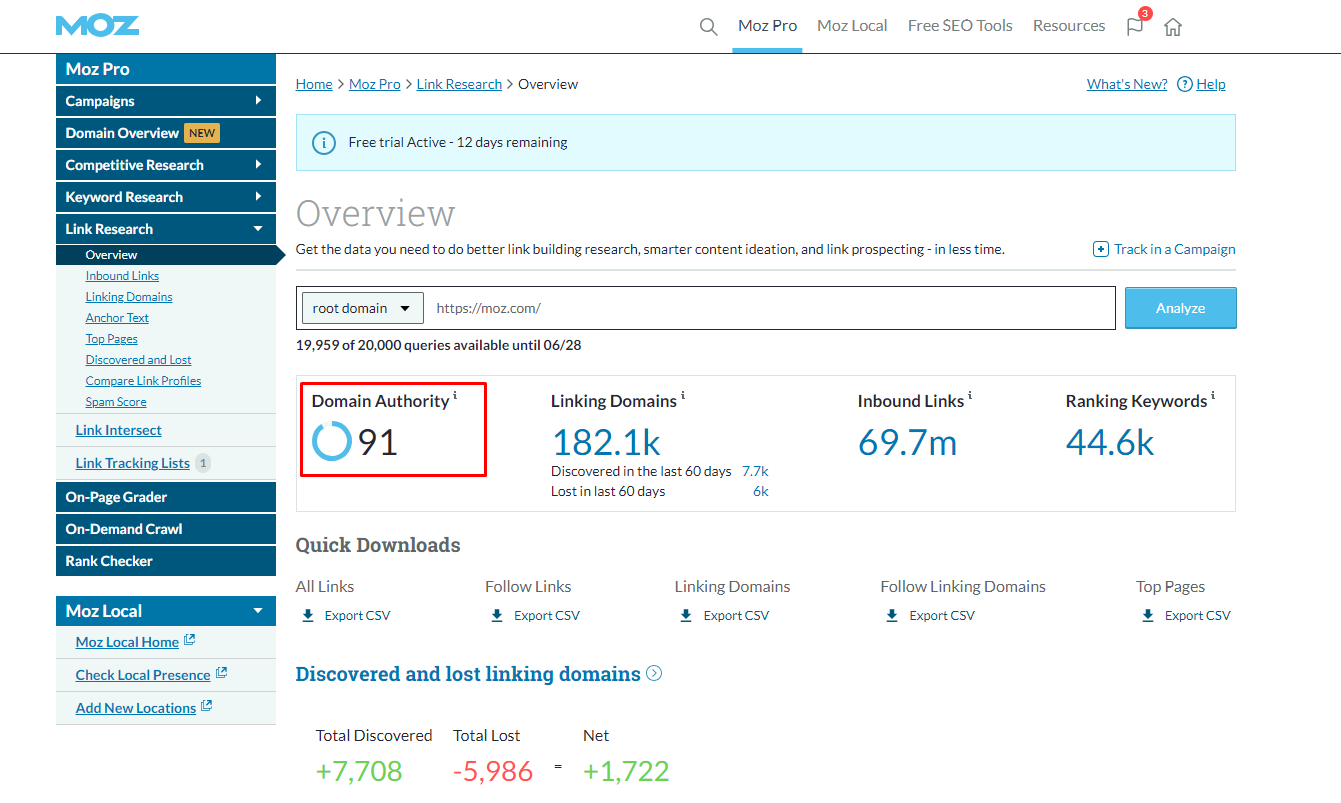
Step 6: Once done, the DA of the domain will be shown on the top left corner of the page (DA:91 in this case)

Step 1: Go to the homepage of Moz Pro. Click on the “Domain Overview” menu on the sidebar panel.
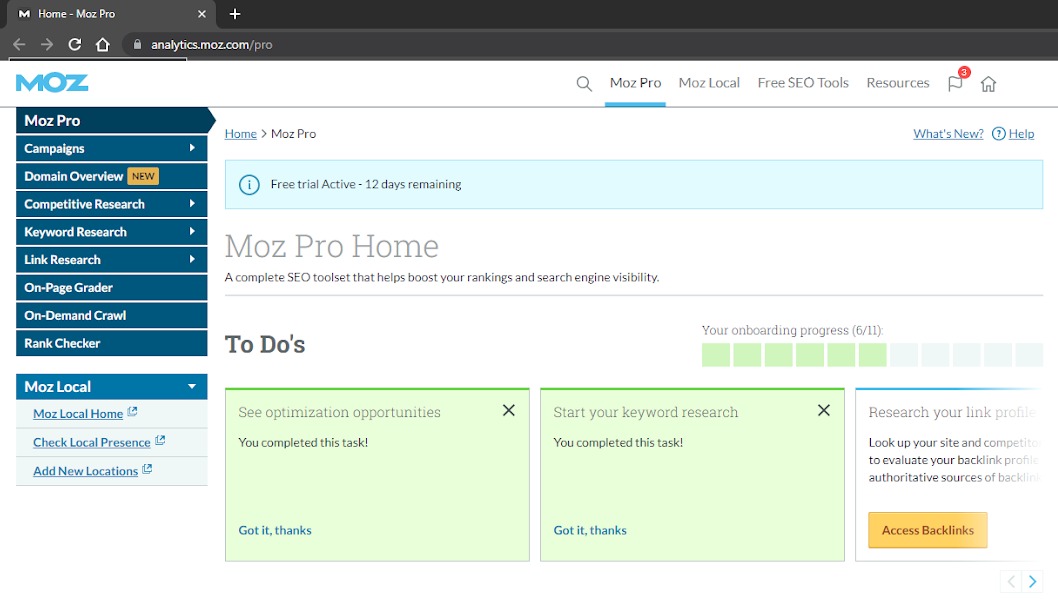
Step 2: Enter the URL of the website in the address bar of your browser and click on the “Analyze URL” button.
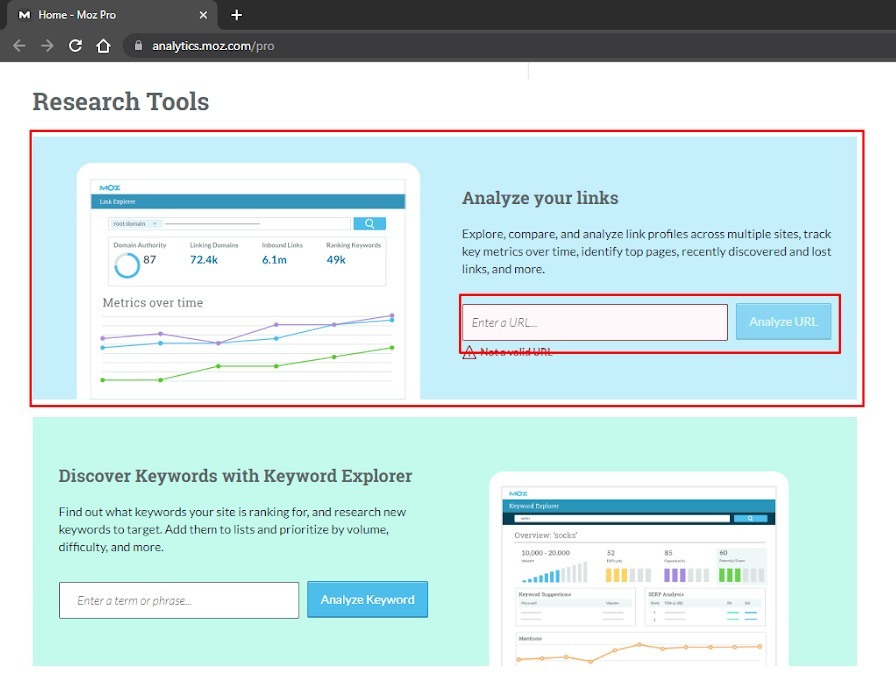
Step 3: MozBar will display the DA score for that website on the toolbar.
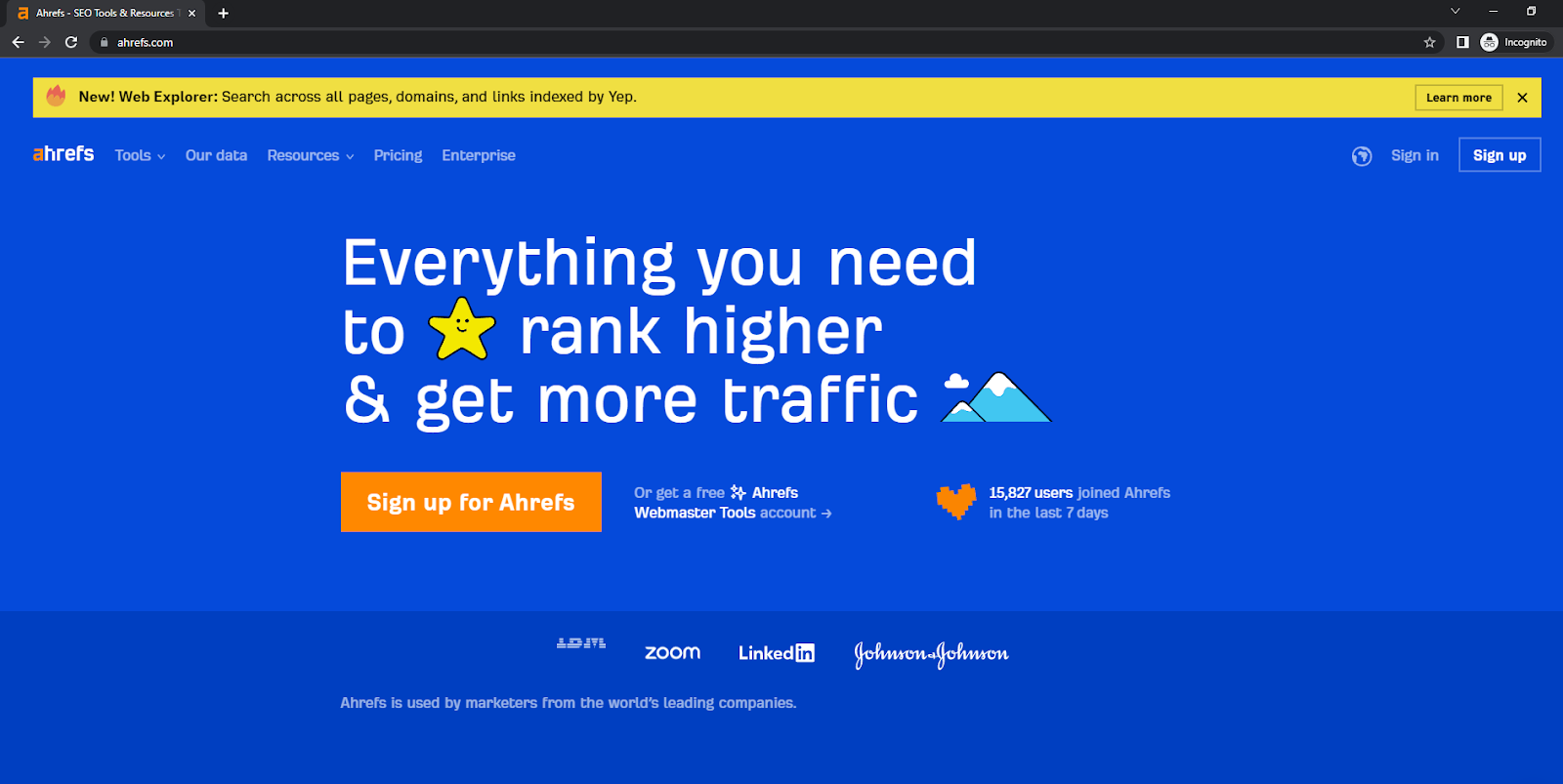
Step 1: First go to ahrefs.com and sign up using the “Sign up for Ahrefs” button.
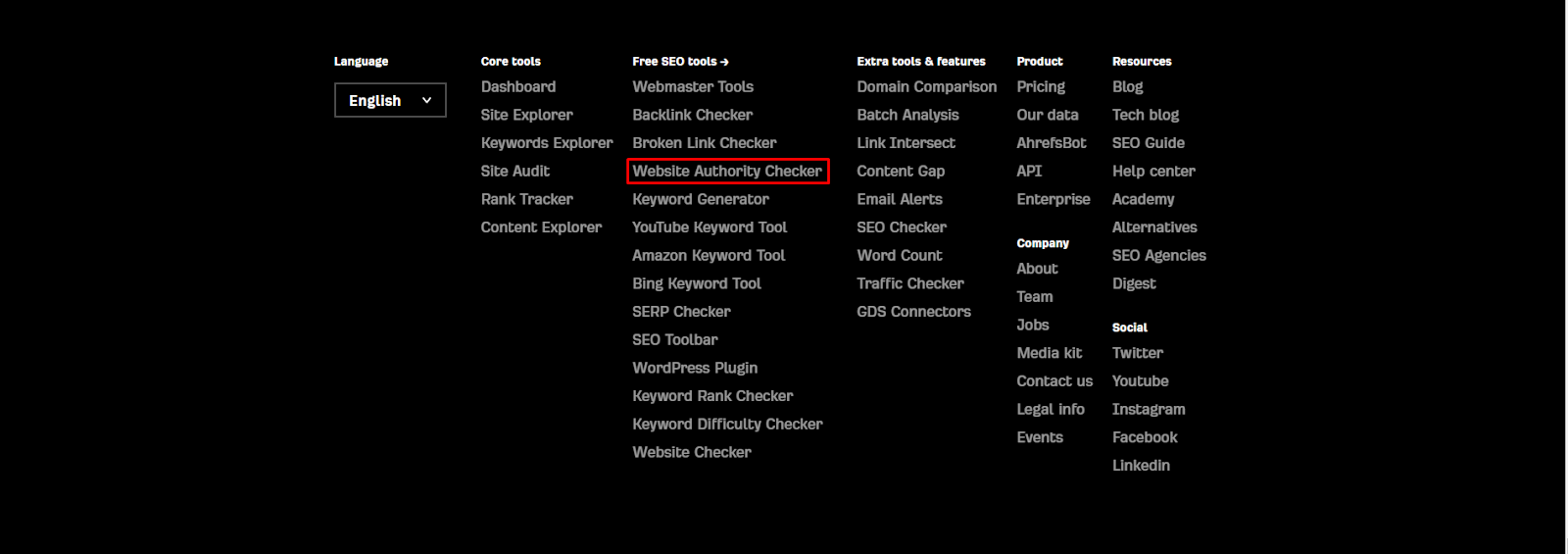
Step 2: At the bottom you will find this option – Website Authority Checker
Step 3: Once you go there, you will be redirected to this page.
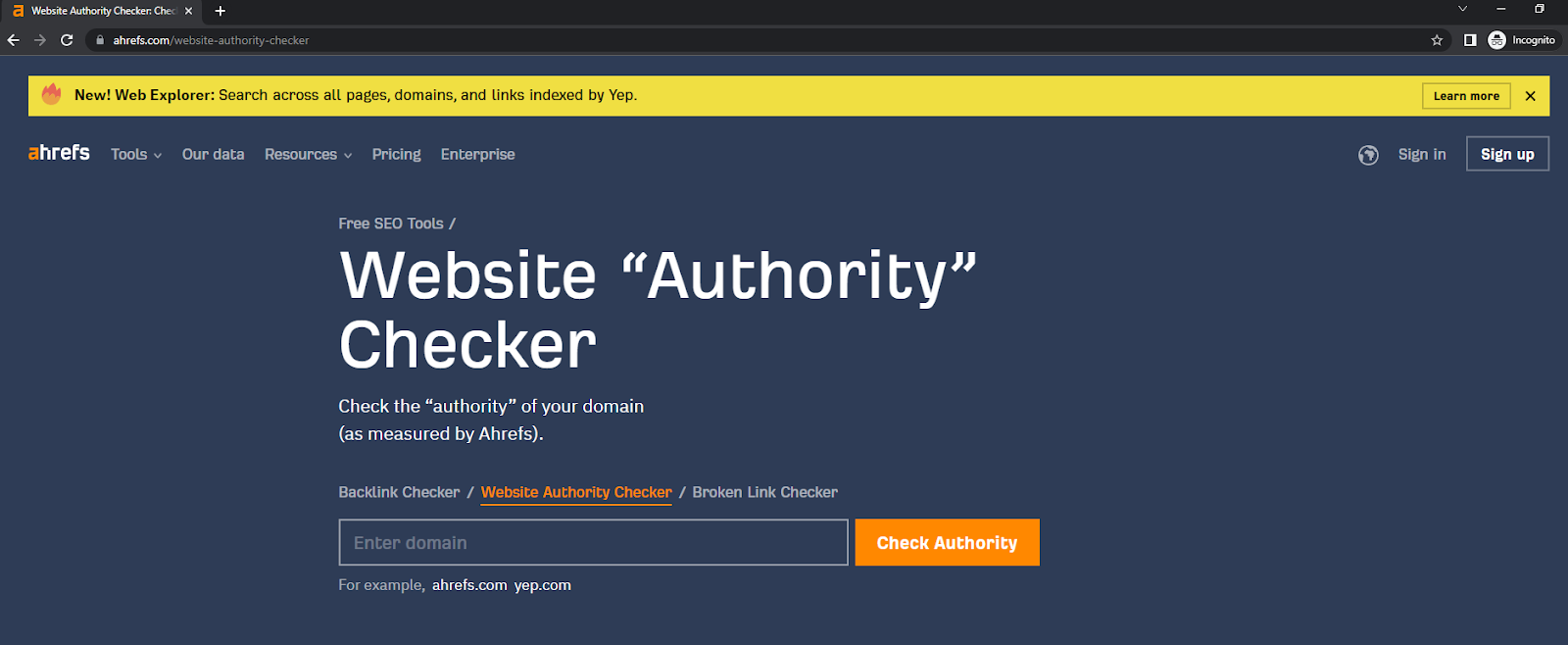
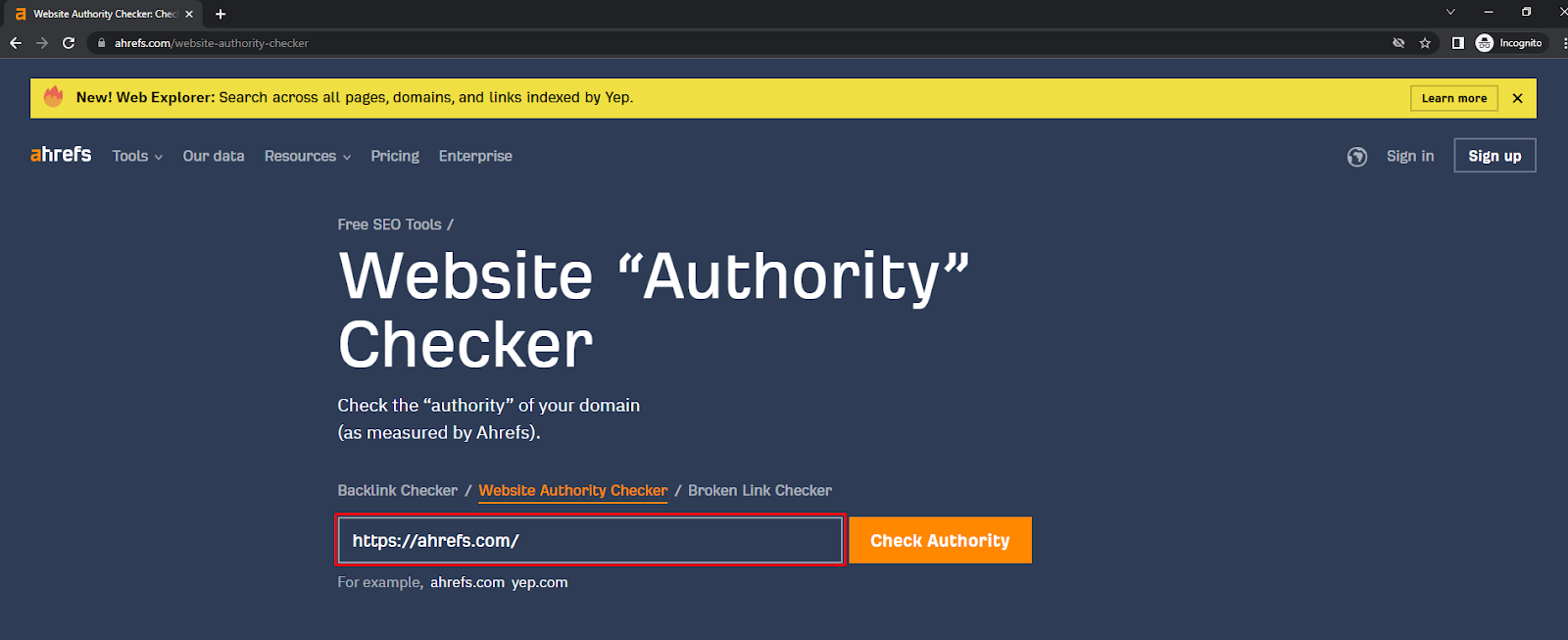
Step 4: Just enter the web address of the site whose domain rating you want to check and click on the “Check Authority” button.
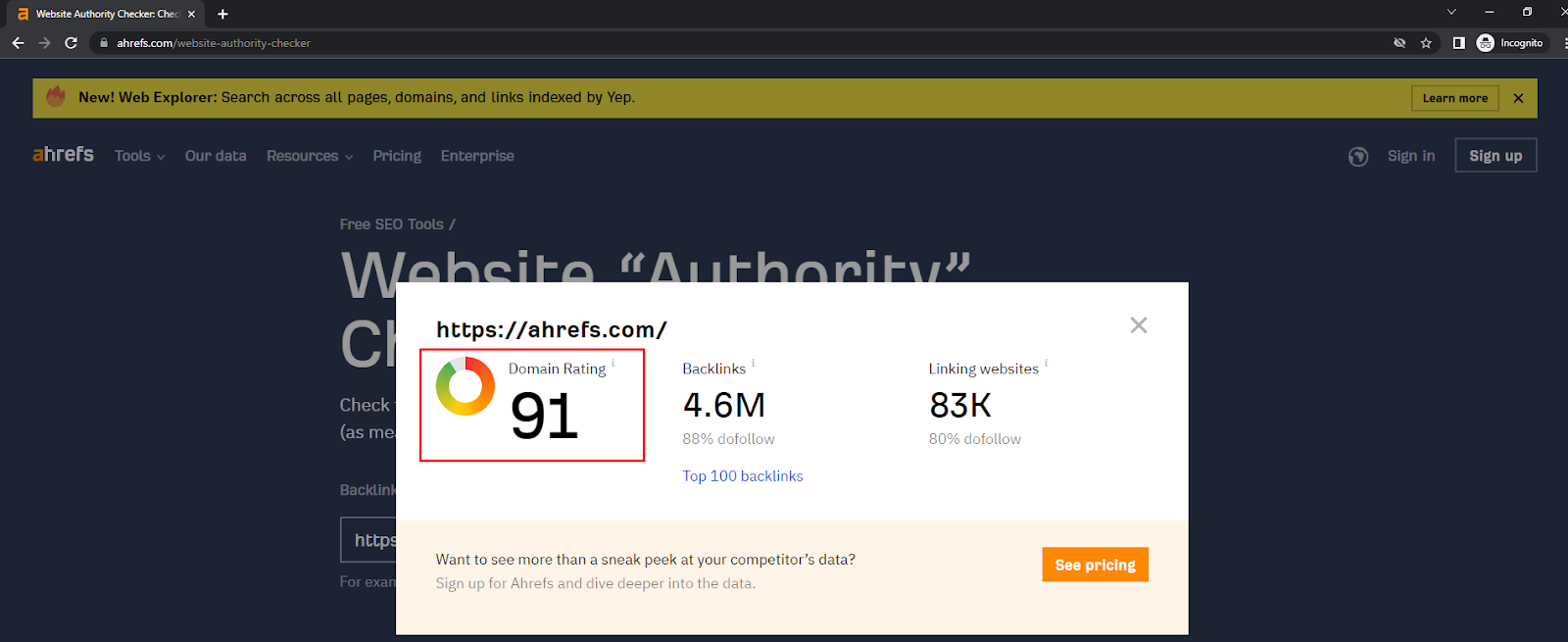
Step 5: ahrefs will show you the domain rating with the number of backlinks and domains that have provided links to that website.
Focus on acquiring backlinks from reputable and authoritative websites relevant to your industry or topic. Reach out to other website owners, create valuable content that others want to link to, and consider guest posting on relevant sites to build a strong backlink profile.
Optimize your on-page elements such as titles, meta descriptions, headings, and content. Conduct keyword research and strategically incorporate relevant keywords into your content. Check to see if your website is well-structured, easy to navigate, and provides a positive user experience.
Publish high-quality, informative, and engaging content on a regular basis. This not only attracts visitors but also encourages other websites to link to your content naturally. Invest in creating comprehensive guides, tutorials, case studies, and other types of content that offer unique insights and value to your audience.
Actively promote your content through social media, email newsletters, and other online marketing channels. By increasing the visibility of your content, you can attract more visitors and potentially earn more backlinks.
Build a strong presence on the major social platforms relevant to your industry. Share your content, engage with your audience, and participate in discussions. This will help increase your brand’s visibility and gain more traffic.
Make sure that your website loads quickly, is mobile-friendly, and provides a smooth browsing experience at all times. Optimizing images, minimizing code, and using caching techniques can help improve your site performance and user satisfaction.
Look for influencers or experts in your industry and collaborate with them to create content or gain exposure. Their endorsement will help attract more traffic, improve your credibility, and potentially result in valuable backlinks.
Regularly monitor your domain authority and domain rating using tools like Moz or Ahrefs. Track your backlinks, rankings, and website analytics to identify areas for improvement and measure the impact of your efforts.
While both metrics can give you a general idea of a website’s authority, we recommend that you use them as part of a broader SEO analysis that considers other factors like content quality, user experience, technical SEO, and social signals. Also, do not get too fixated on these metrics but rather focus on creating high-quality, relevant content and building a strong, authoritative online presence.
Now that you know all there is to know about domain authority vs domain rating, we hope this knowledge will help pave the way for a successful SEO campaign for you.

Don’t miss out on the latest trends and info on SEO, search engines, social media, and more.

Need help with your link building campaign? From consultation to strategy to implementation to reporting, our professional help is awaiting you!